



Cover image: Apple.
Two cables can have the same USB-C connector and still be suitable for different tasks. You'll notice this at the latest when an iPhone charges, but a large file transfers slowly. For a sensible choice of accessories, you should distinguish between connector type, charging power, and data standard.
In this article
The connector first describes the shape
USB-C is a connector that, depending on the device and accessories, enables various tasks. Apple uses it on the iPhone 15 models and newer generations for charging and connecting to other accessories. What speed and functions are supported depends on the specific device and cable. 1
A suitable connector is therefore the first step. It is not yet a complete description of how fast an external SSD works or what charging power is received.

Read about charging power and data rate separately
A wattage rating describes the intended power transmission. For data, however, the supported USB standard is relevant. A cable can be designed for decent charging without being intended for particularly fast file transfers.
| You want to … | What to look for in the description |
|---|---|
| Charge the iPhone | Supported charging power and suitable power supply |
| Transfer large files | Data standard and stated transfer rate |
| Use an external SSD | Combined support from device, cable, and accessories |
| Use a cable on the go | Required functions, length, and mechanical fit |
Apple lists USB 3 with up to 10 Gbit/s for the iPhone 18 Pro and Pro Max. This value assumes a suitable connection and does not describe a guaranteed speed for every connected component. 2
How to choose for your most important use
If you mainly charge, start with the recommendations for your iPhone model and a suitable USB-PD power supply. Apple publishes model-dependent requirements for fast charging. 3
If, on the other hand, you frequently transfer larger video or photo files, explicitly check the data specification on the cable. It should match the support of the phone and the other device. A more powerful power supply does not increase the data rate of a USB connection.
With hubs, adapters, or extensions, you must look at the entire chain. A component with different specifications can limit the flow. For a troubleshooting comparison, a direct connection that is as simple as possible is often clearer.

The case can also affect the connection
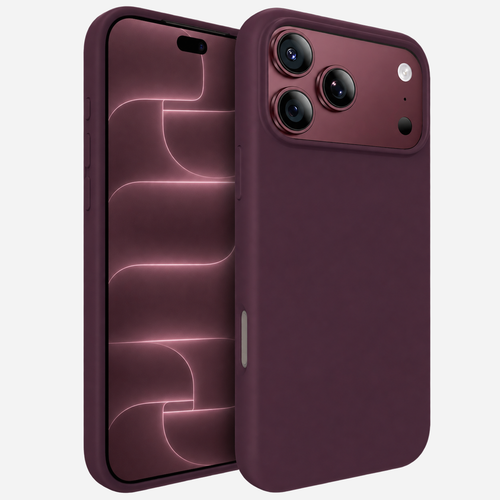
Check whether the connector can be plugged in cleanly and completely with your case. Particularly large connector housings and tightly cut cases can make for an impractical combination.
Do not immediately consider a defect in the iPhone in the event of an unexpected connection problem. First compare with another suitable cable and check the seating of the connector. Do not clean or work on the connector with improvised tools; follow the manufacturer's instructions for this.
A simple purchase test
Write down a line before purchasing: "I mainly need this cable for ...". Then add exactly the required properties. It could be a charging cable for a fixed location at home or a connection for regular large file transfers.
This is how you compare actual requirements instead of just similar-looking connectors. With a new iPhone case, you should perform the same test with your most frequently used cable – after all, accessories work as a combination in everyday use.